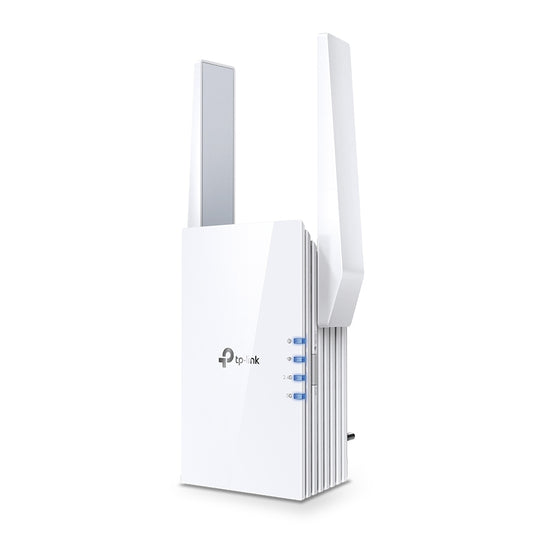
TP-LinkAX1800 Wi-Fi 6 Range Extender SPEED: 574 Mbps at 2.4 GHz + 1201 Mbps at 5 GHz SPEC: 2 × External Antennas, 1 × Gigabit Port, Broadcom 1.5GHz Quad-Core CP

Regular price $25.00
Sale price $260.76

Buy with confidence

  • Professionally quality tested
  • Local warranty support
  • Fast Australian delivery
  • Secure checkout

TP-LinkAX1800 Wi-Fi 6 Range Extender SPEED: 574 Mbps at 2.4 GHz + 1201 Mbps at 5 GHz SPEC: 2 × External Antennas, 1 × Gigabit Port, Broadcom 1.5GHz Quad-Core CP

Details

  • AX1800 Wi-Fi 6 Range Extender
  • SPEED: 574 Mbps at 2.4 GHz + 1201 Mbps at 5 GHz
  • SPEC: 2 × External Antennas, 1 × Gigabit Port, Broadcom 1.5GHz Quad-Core CPU, 1024 QAM, Wall Plugged
  • FEATURE: Tether App, WPS, Intelligent Signal Light, Access Control, Power Schedule, LED Control, RE/AP Mode, OneMesh, Beamforming, MU-MIMO, OFDMA

Brand: TP-Link | Category: Networking | Group: TP-Link Router | Condition: Brand New

Need help with a return, product issue or warranty request? Visit our Support & Warranty Hub

Estimate delivery times: 3–5 business days across Australia. Timing can vary by product and destination.

TP-LinkAX1800 Wi-Fi 6 Range Extender
SPEED: 574 Mbps at 2.4 GHz + 1201 Mbps at 5 GHz
SPEC: 2 × External Antennas, 1 × Gigabit Port, Broadcom 1.5GHz Quad-Core CP
TP-LinkAX1800 Wi-Fi 6 Range Extender SPEED: 574 Mbps at 2.4 GHz + 1201 Mbps at 5 GHz SPEC: 2 × External Antennas, 1 × Gigabit Port, Broadcom 1.5GHz Quad-Core CP
Regular price $25.00
Sale price $260.76

Recently viewed products

The best quality products are waiting for you. Choose it now!

REFURBLY AUSTRALIA

Why Choose Refurbly

Technology backed by practical local support and a clearer buying experience.

Fast AU Delivery

Reliable delivery across Australia, with tracking where available.

Quality Tested

Products are checked for quality and functionality before they reach you.

Local Support

Warranty and after-sales assistance through our Support & Warranty Hub.

Need help after your purchase? Order support · Warranty assistance · Product troubleshooting

Visit Support & Warranty →