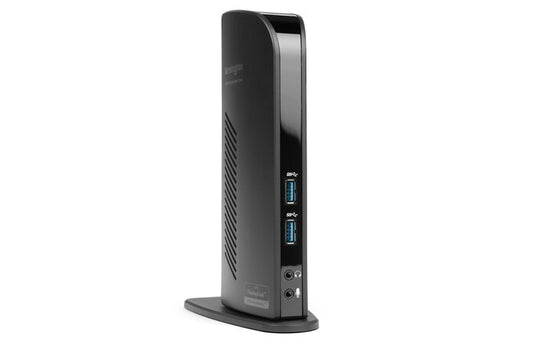
Connect two additional screens with 1 DVI Out & 1 HDMI Out \n\nExpand your workspace by adding additional monitors. Connect your DVI monitor to the DVI port or use the included DVI>VGA adapter to connect your VGA monitor. If you've got an HDMI monitor, you can connect directly into the HDMI out port. You can also connect a second HDMI monitor to the DVI port using the included DVI>HDMI adapter. You can run both the DVI and HDMI ports simultaneously.\n\n Extend Mode \n\nExtend your workspace by making it bigger. Extend mode allows you to share your whole desktop across multiple screens. Ideal for improved productivity by working with, and viewing, multiple applications at the same time.\n\n Clone Mode \n\nAllows you to replicate the same content on your second display as you do on your master display.\n\n 2 Front USB 3.0 Ports \n\nTwo fast and powerful USB 3.0 ports are positioned on...
Product Specifications
Product colour: Black
HD type: 2K Ultra HD
Data transfer rate: 5 Gbit/s
Ethernet LAN: Yes
Ethernet LAN data rates: 10,100,1000 Mbit/s
Compatible operating systems: macOS 10.14 or above; Windows 7 or above
Quantity per pack: 1 pc(s)
Maximum digital resolution: 1920 x 1200 pixels
Authorised reseller buy with confidence.
Estimate delivery times: 3-5 days (Australia Wide).
Thank you for registering! We will notify you by email when it is back in stock.
PayPal Pay Later Messaging
Step 1: Choose message placement
Click the button below and then hover over your page to select a placement.
Step 2: Paste and save
You have copied the placement for the Product Page.
Go back to the App Embeds section, and in the Paypal Advanced Settings, paste the copied value into the
Product Page field and click the 'Save' button in the top right corner.