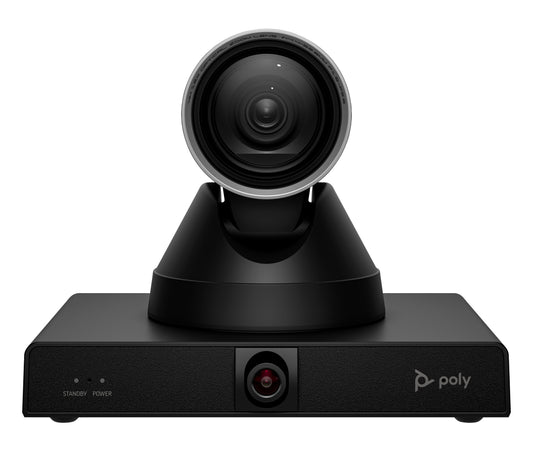
HP Poly Studio E60 Smart Camera 4K MPTZ with 12x Optical Zoom
<b>Harness the power of focus</b>\nKeep presentations engaging with the Poly Studio E60 smart MPTZ optical zoom camera. The main presenter is always in frame, and every person in the room is shown with exceptional accuracy, even at the far end. With every detail captured, presentations are easier to follow.
Key Features
Whether in person or remote, keep your teams engaged no matter where they’re seated. Make sure they pick up on every detail with true-life definition including small gestures and expressions even in large rooms with a 12x optical zoom.|The Poly Studio E60 smart optical zoom camera lets everyone see what’s going on in the room. Presenter tracking and AI-driven framing modes make sure the focus stays on the all-important action so nobody misses a beat, no matter where they are.|Kickstart meetings without delays and make every minute count with the Poly Studio E60 smart optical zoom camera. Its flexible connectivity and compatibility with top conferencing platforms simplifies things so you can solely focus on your presentation.|Poly Lens<sup>[1]</sup>, remote device management, gives you better visibility into workspaces across the entire organization. IT professionals can remotely monitor and troubleshoot Poly devices as well as streamline applying bulk software and policies.
Product Details
Brand: HP Poly
Model: Studio E60 Smart Camera 4K MPTZ with 12x Optical Zoom
Category: Video Conferencing Cameras
SKU: 6189155
Authorised reseller buy with confidence
Estimate delivery times: 3-5 days (Australia Wide).
Thank you for registering! We will notify you by email when it is back in stock.
PayPal Pay Later Messaging
Step 1: Choose message placement
Click the button below and then hover over your page to select a placement.
Step 2: Paste and save
You have copied the placement for the Product Page.
Go back to the App Embeds section, and in the Paypal Advanced Settings, paste the copied value into the
Product Page field and click the 'Save' button in the top right corner.