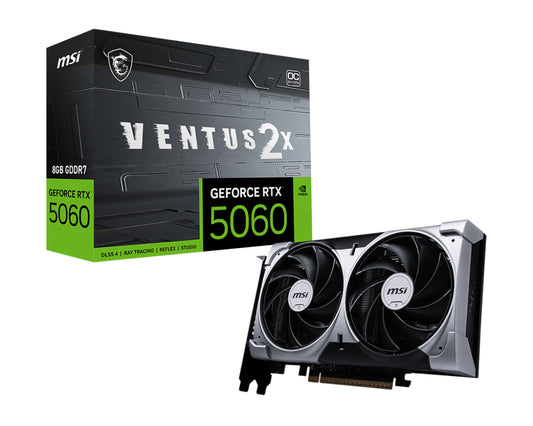
MSI GeForce RTX 5060 8G VENTUS 2X OC NVIDIA 8 GB GDDR7
Regular price
$1,102.53
Sale price
$1,278.99
Quick Search:
Hurry Up! Only 50 left in stock!
NVIDIA GeForce RTX 5060, 8GB GDDR7, 128 bit, PCI Express x16 5.0, 1 x HDMI (2.1b), 3 x DP (2.1b), CUDA, DirectX 12 Ultimate, OpenGL 4.6, 145W
<b>TAKE THE ESSENTIALS</b>\nVENTUS focuses on the essentials to tackle any challenge. Its efficient thermal solution is encased in a resilient enclosure with a neutral aesthetic, allowing this sleek graphics card to integrate seamlessly into any build.\n\n<b>HARDENING EVERY DETAIL</b>\nAll images and descriptions are for illustrative purposes only. Visual representation of the products may not be perfectly accurate.\n\n<b>MSI CENTER</b>\n<b>BRINGING IT ALL TOGETHER</b>\nMSI's exclusive MSI Center software empowers you to maximize your MSI products. Monitor, tweak, and optimize in real-time with just a few clicks. One of its standout features, AI Tuning, intelligently adjusts your system to meet AI-oriented requirements.\n\n<b>AFTERBURNER</b>\n<b>PRECISION CONTROLS,</b>\n<b>UNLIMITED POWER</b>\nMSI Afterburner is the world's leading graphics card overclocking software, offering complete control and real-time system monitoring. It’s free and compatible with most graphics cards.\n\n<b>MSI APP PLAYER</b>\n<b>SEAMLESS GAMING EXPERIENCE</b>\nDeveloped under an exclusive partnership with BlueStacks, the MSI APP Player provides a seamless gaming experience between mobile gaming and the PC.\n\n<b>Build Small. Play Big.</b>\nYou can pack high performance into a smaller footprint with this SFF-Ready Enthusiast GeForce card. Look for cases that are compatible with SFF-Ready Enthusiast GeForce Cards to get a sure fit and streamline your PC build.
Authorised reseller buy with confidence
Estimate delivery times: 3-5 days (Australia Wide).

Seamless Delivery You Can Count On
Hassle-Free Returns, Always Free
Trusted Checkout with Visa, Mastercard
Instant Help, Anytime You Need It
The best quality products are waiting for you. Choose it now!
You have copied the placement for the Product Page.
Go back to the App Embeds section, and in the Paypal Advanced Settings, paste the copied value into the Product Page field and click the 'Save' button in the top right corner.