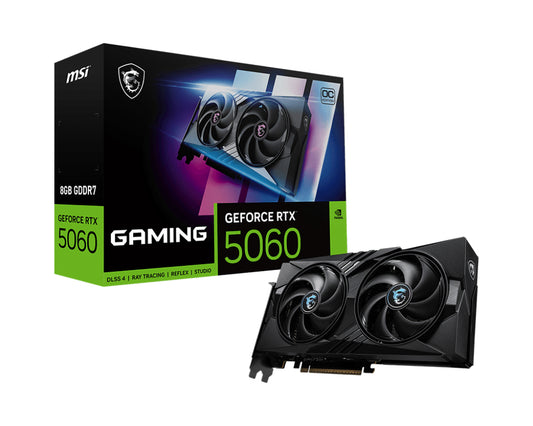
NVIDIA GeForce RTX 5060, 8GB GDDR7, 128 bit, PCI Express x16 5.0, 1 x HDMI (2.1b), 3 x DP (2.1b), CUDA, DirectX 12 Ultimate, OpenGL 4.6, 155W
Fearless and bold, GAMING delivers strong performance to both gaming and content creation. It blends a fierce look with advanced cooling technologies, making it an unwavering ally on the gaming battlefield. GAMING is the ideal choice for gamers who strive to give their all.\n\n<b>Strength and Artistry</b>\nBuilding on MSI's heritage, GAMING embodies the passion of gamers with a sleek exterior that erupts with vibrant lights amidst bold lines and sharp edges.\n\n<b>TWIN FROZR 10</b>\nExperience superior cooling and quieter performance with MSI's upgraded TWIN FROZR 10 design, featuring enhanced fans that optimize heat dissipation across the graphics card.\n\n<b>MSI CENTER</b>\n<b>BRINGING IT ALL TOGETHER</b>\nMSI's exclusive MSI Center software empowers you to maximize your MSI products. Monitor, tweak, and optimize in real-time with just a few clicks. One of its standout features, AI Tuning, intelligently adjusts your system to meet AI-oriented requirements.\n\n<b>AFTERBURNER</b>\n<b>PRECISION CONTROLS,</b>\n<b>UNLIMITED POWER</b>\nMSI Afterburner is the world's leading graphics card overclocking software, offering complete control and real-time system monitoring. It’s free and compatible with most graphics cards.\n\n<b>MSI APP PLAYER</b>\n<b>SEAMLESS GAMING EXPERIENCE</b>\nDeveloped under an exclusive partnership with BlueStacks, the MSI APP Player provides a seamless gaming experience between mobile gaming and the PC.\n\n\n\n
Key Features
- Powered by the NVIDIA Blackwell architecture and DLSS 4
- Core Clocks:
- Extreme Performance: 2640 MHz (MSI Center)
- Boost: 2625 MHz
- TWIN FROZR 10: Experience superior cooling and quieter performance with MSI's enhanced fan blade design
- STORMFORCE Fan: Seven fan blades, claw texturing, and a circular arc are designed for optimal airflow with minimal noise
- Nickel-plated Copper Baseplate: Heat from the GPU and memory is swiftly captured by a nickel-plated copper baseplate and transferred
- Core Pipes feature a square design to maximize contact with the GPU baseplate for optimal thermal management
Product Details
-
Model: GeForce RTX 5060 8G GAMING OC
-
Category: Graphics Cards
-
Quality: ICECAT
-
HighPic Resolution: 1024x819
Authorised reseller buy with confidence