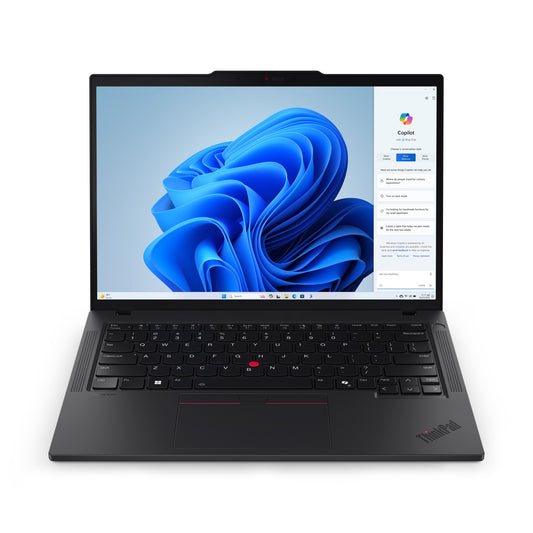
Lenovo ThinkPad T14 Gen 5 (Intel) Intel Core Ultra 7 155U Laptop 35.6 cm (14") Touchscreen WUXGA 16 GB DDR5-SDRAM 512 GB SSD Wi-Fi 6E (802.11ax) Windows 11 Pro English Black
AI-Driven Productivity — On the Go Powered by Intel® Core™ Ultra processors, the 14ʺ Lenovo ThinkPad T14 Gen 5 laptop taps into AI-assisted productivity like never before. Enjoy optimized performance with workloads pushed to dedicated AI engines, including the low-power neural processing unit (NPU) that enables you to do more, unplugged. Choose Intel vPro®, for multilayer security, professional-grade performance, reliable stability, and complete management for IT. And, fuel your efficiency with Windows Copilot, launched with a single keystroke, to adjust PC settings or switch between projects. Next-Level Viewing — Bold & Bright Whether — watching or creating, experience superb content quality on the 14” ThinkPad T14 Gen 5 laptop. Its 3M optical solutions boost display efficiency, maximizing the brightness levels while reducing power usage. Plus narrow bezels along with Dolby Vision® ensure you’ll enjoy rich, vibrant visuals. Certified for Eyesafe® and TÜV Low Blue Light protection, it prevents eye fatigue during long work hours. Moreover, it’s slim, lightweight, and comes in two elegant colors Eclipse Black and Luna Grey to match your personal style. Inclusive Design for Easy...
Key Features
Intel Core Ultra 7 155U, 12C (2P + 8E + 2LPE)/14T, Max Turbo up to 4.8GHz, 12MB
Lenovo ThinkPad T14 Gen 5 (Intel) Intel Core Ultra 7 155U Laptop 35.6 cm (14") Touchscreen WUXGA 16 GB DDR5-SDRAM 512 GB SSD Wi-Fi 6E (802.11ax) Windows 11 Pro English Black
Regular price
$3,476.07
Open Sidebar
Sidebar
Free Shipping
Seamless Delivery You Can Count On
Free Returns
Hassle-Free Returns, Always Free
Safe Payment
Trusted Checkout with Visa, Mastercard
Support Online
Instant Help, Anytime You Need It
Recently viewed products
The best quality products are waiting for you. Choose it now!
Thank you for registering! We will notify you by email when it is back in stock.
PayPal Pay Later Messaging
Step 1: Choose message placement
Click the button below and then hover over your page to select a placement.
Step 2: Paste and save
You have copied the placement for the Product Page.
Go back to the App Embeds section, and in the Paypal Advanced Settings, paste the copied value into the
Product Page field and click the 'Save' button in the top right corner.