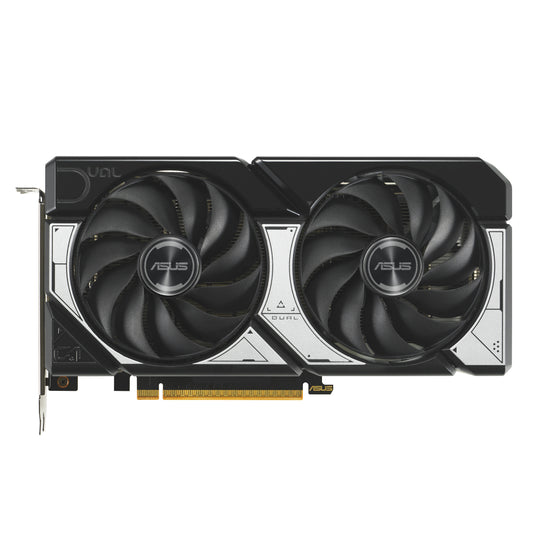
DUAL GEFORCE RTX™ 5060\n<b>Dual Fans, Perfect Fit</b>\nASUS Dual GeForce RTX™ 5060 combines powerful thermal performance with broad compatibility. Advanced cooling solutions from flagship graphics cards — including two Axial-tech fans for optimizing airflow to the heatsink. Designed in a compact 2.5-slot form factor, delivering more power in less space. These enhancements make ASUS Dual the perfect choice for gamers who want heavyweight graphics performance in a compact build.\n\n<b>Build Small. Play Big.</b>\nYou can pack high performance into a smaller footprint with this SFF-Ready Enthusiast GeForce card. Look for cases that are compatible with SFF-Ready Enthusiast GeForce Cards to get a sure fit and streamline your PC build.\n\nCooling\n<b>2.5-slot Design</b>\nA carefully designed shroud, heatsink, and heatpipe layout enables the two Axial-tech fans to leverage chassis side-panel ventilation, delivering thermal performance that beyond the compact size.\n\n<b>Axial-tech Upgrades</b>\nTwo tried-and-true Axial-tech fans feature a smaller hub facilitates longer blades and a barrier ring to increase downward air pressure.\n\n<b>0dB Technology</b>\nTo eliminate unnecessary noise, the stop mode automatically halts all fans when the GPU temperature drops below 50 degrees and power consumption is low.\n\n<b>Dual Ball Fan Bearings</b>\nFan bearings come in different types, each with its own advantages. Dual ball bearings provide superior durability and can last up to twice as long as sleeve-bearing designs.\n\n<b>Vented Backplate</b>\nA vented backplate significantly enhance heat dissipation, helping to keep the GPU cooler during intense tasks. This additional airflow helps ensure optimal temperatures, boosting performance, longevity and stability by defending against overheating and thermal throttling.
Product Details
ProductFamily: Dual
Model: DUAL-RTX5060-O8G
Category: Graphics Cards
Quality: ICECAT
HighPic Resolution: 2400x2400
Authorised reseller buy with confidence
Estimate delivery times: 3-5 days (Australia Wide).
Thank you for registering! We will notify you by email when it is back in stock.
PayPal Pay Later Messaging
Step 1: Choose message placement
Click the button below and then hover over your page to select a placement.
Step 2: Paste and save
You have copied the placement for the Product Page.
Go back to the App Embeds section, and in the Paypal Advanced Settings, paste the copied value into the
Product Page field and click the 'Save' button in the top right corner.